

Publicado: Por Trucell7 min de lectura
Managed IT services for healthcare: what your medical practice should expect from its MSP
Managed IT services for healthcare, explained for practice managers: PMS safe updates, tested backups, Medicare continuity, Essential Eight and clear SLAs.
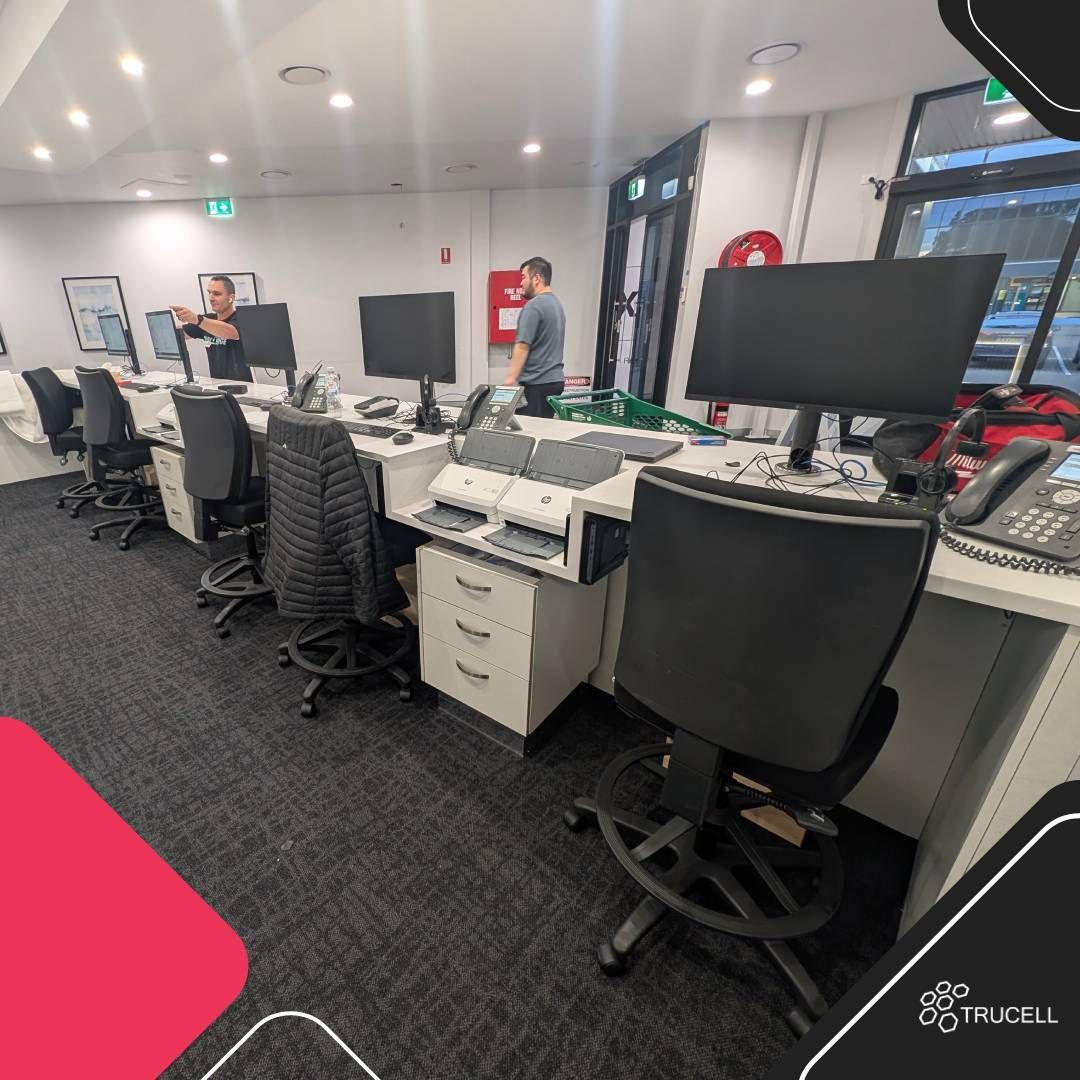
Your clinic runs on three things that cannot stop: the practice management system, Medicare claiming, and the patient record. When any of them fails at 8am, reception books on paper, consults back up, and you spend the morning on the phone instead of running the practice.
Managed IT services for healthcare exist to keep those three running while someone else carries the day to day load. Not every provider is built for a clinic, though. This guide sets out what a medical practice should expect from a managed IT provider, the questions to ask before you sign, and how to change provider without losing a day of consults.
What managed IT services for healthcare should cover
At a minimum, a managed IT provider for a medical practice should own one thread from helpdesk to backup:
- A helpdesk your staff can reach, with escalation to people who understand your clinical software.
- Patching, monitoring, and support for PCs, servers, and printers in scope.
- The network your clinical systems run on.
- Backup and recovery for the practice management database and clinical data, with tested restores.
- Security controls aligned to the Essential Eight and your Privacy Act obligations.
- Continuity for PRODA, HPOS, and Medicare PKI access.
- Evidence you can hand to an accreditation surveyor, insurer, or auditor.
The model can be fully managed, where the provider runs day to day operations, or co managed, where your internal team keeps some tiers and the provider runs the rest under an agreed ownership model. Either way, your staff should see one queue they recognise.
Where generic managed IT falls short in a clinic
The problems that hurt a practice most rarely look like IT problems at first:
- An untested update. A practice management or Windows update lands without testing, the clinical software breaks at opening, and reception is booking patients on paper.
- Backups nobody has restored. The nightly job says success, but no one has restored a full practice management database recently, so the recovery plan is a hope.
- Quiet Medicare breaks. A PRODA, HPOS, or Medicare PKI certificate lapses, or an assignment of benefit workflow change goes unnoticed, and claims start rejecting.
- Security by assertion. The provider is “aware of” the Essential Eight and the Privacy Act, so the practice carries the risk without the evidence.
Eight questions to ask a healthcare MSP before you sign
1. Which practice management systems do you support, and how do you test updates?
Look for named experience with the systems Australian practices actually run: Best Practice, MedicalDirector, Genie and Gentu, and Zedmed. The provider should work alongside your PMS vendor rather than claim to replace them, and validate practice management and operating system updates in a controlled way before they reach clinical PCs.
2. When did you last restore our data, and how long did it take?
A restore is the only evidence that a backup works. Ask for tested restores of the PMS database and clinical data, plus a documented rollback path, so a bad update or hardware failure is a recovery rather than a crisis. See backup and recovery.
3. Who watches PRODA, HPOS, and Medicare PKI?
These certificates should be current and monitored, with bulk billing and assignment of benefit continuity protected as part of the service rather than left to whoever notices the first rejected claim.
4. How do you run the Essential Eight day to day?
Patching, application control, MFA, privileged access, and backups should be applied at a maturity that suits a practice, with the run habits and evidence to show they hold. The Essential Eight for medical practices guide explains the eight strategies in practice terms.
5. Can you produce accreditation evidence?
Access control, audit logging, backup evidence, and secure messaging all appear in accreditation conversations. A good provider maps them to your environment so accreditation becomes a readout of controls already running. The RACGP accreditation IT readiness guide walks through each area.
6. What is independently audited about your own security?
Your MSP holds the keys to your patient data, so its own controls matter. Trucell Pty Ltd is ISO/IEC 27001:2022 certified by Citation Certification, with a scope covering managed IT services, cybersecurity services, and medical imaging IT services, and is also ISO 9001:2015 certified. Trucell holds an annual SOC 2 Type II report, available under NDA for vendor risk reviews, and runs IRAP assessed, ISM aligned security operations. Ask any provider you are comparing to show the equivalent, not describe it.
7. What does the SLA measure, and who answers after hours?
Ask what the agreement measures (first response, restore time, or business impact), how it is measured, and where remedies are defined. At Trucell, service levels are measured in HaloPSA against the metric your contract names. Standard trading hours are Monday to Friday 8am to 6pm and Saturday 8am to 1pm, local Australian time, with sev 1 and after hours paths written into the contract. L1 and L2 tiers operate from Australia, the Philippines, and Chile, and an Australian owner takes the thread on sev 1 incidents and the after hours escalations defined in scope.
8. What is included, and what is not?
Monthly fees should cover the support work in scope: helpdesk, remote diagnosis, patching and antivirus posture for managed servers, and printer support for devices in the managed set. Expect toner and printer parts, carrier SIM and data for cellular failover, and cabling or cabinet construction to sit outside the fee as consumables, carrier charges, or separate project lines.
Local support when hands are needed
Most clinic issues are resolved remotely, but some need an engineer on site: servers, network gear, and imaging equipment. Trucell’s service desk and engineers work from Level 1, 448 Church Street, Parramatta. Onsite support covers Parramatta, Western Sydney, the Hills District, and the Sydney CBD, with the wider metro by arrangement and remote first support for regional NSW and interstate practices through the same queue.
If your practice is in Sydney, see managed IT services in Sydney. For Western Sydney specifically, see managed IT support in Parramatta.
Switching provider without a clinical outage
Changing MSP should not cost a day of consults. A sound transition has four stages:
- Gap check. A review of your PMS, backups, Essential Eight posture, Medicare access, and accreditation IT readiness, with a written summary.
- Reduce risk. Verify backups with a real restore, document the PMS and clinical environment, confirm PRODA, HPOS, and Medicare PKI access, and agree a rollback plan before anything changes.
- Cutover. A staged transition with tooling and monitoring in place, sequenced around clinic hours so reception and clinicians see continuity.
- Operate and prove. Tested updates, monitored backup evidence, Essential Eight run habits, and accreditation ready reporting.
More detail is on switching medical IT provider.
If your practice also runs imaging
Imaging adds PACS, RIS, modalities, and diagnostic displays, and those need a provider that understands DICOM pathways and reading lists. Our radiology IT support provider checklist covers the extra questions, and radiology practice IT support describes the service.
The Medical Imaging Erina front desk fit out delivered dual screen workstations, document scanners, and 3CX handsets at every seat, and the clinic opened on schedule. The Care Plus Imaging Doncaster fit out covered a new clinic from concept to opening day.
A short checklist to take into your next provider meeting
- Named experience with your practice management system, and a written update testing process.
- A dated record of the last PMS database restore.
- Monitoring of PRODA, HPOS, and Medicare PKI certificates.
- Essential Eight controls with evidence, not just a policy.
- Independently audited security, with a SOC 2 Type II report available under NDA.
- An SLA that names its metric, its hours, and its remedies.
- A clear list of what the monthly fee excludes.
- A staged transition plan with a rollback step.
Next step
Trucell supports 50+ healthcare sites and has worked in clinical IT for almost two decades. The lowest risk next step is a free practice IT and accreditation gap check of about 30 minutes, covering your PMS, backups, Essential Eight posture, and Medicare access, with a written summary of the gaps and a practical order to fix them. Read more about GP and medical practice IT support and managed IT support, or contact Trucell and mention your PMS, how many clinicians and sites you run, and any accreditation or Medicare deadlines coming up.
Lecturas relacionadas
- How to choose a radiology IT support provider: a checklist for imaging practices
- The $39,000 sticker shock: breaking the clinic server refresh cycle in 2026
- Front-desk fit-out for Medical Imaging Erina: what a clinic reception build actually involves
- Trucell is ISO 27001:2022 certified for managed IT services, with specializations in PACS/RIS and DICOM