Saltar al contenido

Tema de color

Región

Abre la misma página en otro sitio regional.

Idioma del sitio (Chile)

Español o Inglés. Aplica a este sitio regional.

Buscar en el sitio

Buscar páginas y artículos

Ctrl+K · Buscar en el sitio
Menú

Algunas páginas de detalle pueden mostrarse en inglés mientras completamos la traducción.

RapidKiosk Manager is licensed by Trucell and hosted by Ripple Networks in Sydney: platform, hardware, install, and support in one commercial conversation.

Retail kiosk software · LG hardware · one rollout

Self-service kiosks for retail: software, hardware, and fleet management

Software de kioscos de autoservicio con operación real detrás: RapidKiosk Manager, licenciado por Trucell, permite diseñar pantallas en un lienzo en vivo, publicar perfiles versionados a una tienda, un grupo o toda la flota, y mantener cada unidad licenciada, monitoreada y accesible desde una consola. Trucell además suministra hardware comercial LG Kiosk & Touch para Australia, de modo que autoservicio de compra, filas de atención y descubrimiento de productos llegan como un solo despliegue con un responsable, desde una prueba gratuita con marca de agua hasta marca blanca a escala. Precios en AUD.

Why kiosk fleets drift once the screens are on the floor

Retail kiosk software from Trucell targets the operational gap: screens go out with a one-off layout, then nobody can update them, license them, or even tell which units are offline without driving to the store.

  • Layouts get built once, loaded by USB stick or remote desktop, and drift store by store until no two kiosks show the same approved design.
  • Nobody owns visibility: a kiosk can sit dark for days before a customer complaint, not a monitoring alert, reveals it.
  • Software, hardware, and support come from different suppliers, so pricing is opaque and every fault turns into a vendor argument.

A kiosk earns its floor space only while the content is current, the unit is up, and someone is accountable end to end. RapidKiosk Manager exists to make that boringly routine: design, publish, license, and operate the whole fleet from one console.

One platform: design the experience, publish it, and keep every unit reachable

RapidKiosk Manager, licensed by Trucell, runs the full loop between what shoppers see and what your team controls.

  • Kiosk Designer

    Compose layouts on a live device canvas in portrait or landscape: heroes, category grids, featured products, banners, carousels, and lead forms arranged as shoppers will actually see them, across attract, home, category, search, product, cart, checkout, and confirmation screens.

  • Bind data and publish

    Widgets pull from datasets and Data Sources: live queries or curated lists managed in one view. Layout profiles are drafted, versioned, then published to a single kiosk, a store group, or the whole fleet, with organisation-scoped Windows installers, the RapidKiosk Android shell, and the host agent delivered from the same portal.

  • Operate the fleet

    Per-kiosk licensing with seat limits enforced on heartbeat, online and offline status on a 15 second pulse, remote browser view into the live session, operating system access via the host agent, and Wake-on-LAN to bring cold units back without a site visit.

Illustration of the RapidKiosk Kiosk Designer: drag widgets onto a live device canvas, then publish the profile to your fleet.
Illustration of the RapidKiosk Manager fleet console: live online and offline status across a kiosk fleet.

Ready to put kiosks on the floor?

Tell us the sites, the use case, and the systems the kiosks must talk to. We come back with a hardware and licensing shape, honest fit guidance, and a path from free trial to rollout.

¿Prefiere hablar ahora? +56 2 2581 4440

What to include in your brief

  • How many kiosks and how many sites
  • Use case: self checkout, queue and call, or browse and promote
  • POS or commerce systems the kiosks must connect to
  • Timeline and whether hardware is needed

Three modes for the floor, one platform underneath

Self checkout, queue management, and product discovery share the same Designer, licensing, and fleet operations, so you are not buying a separate system per use case.

  • Self Checkout

    Browse, cart, and tender on the floor, wired to the systems you already run: Lightspeed POS, WooCommerce, SAP, or Dynamics 365 Business Central. Licensed per kiosk and quoted to match your stack, stores, and rollout.

  • Waiting Room

    Ticket issue, wallboard display, and counter call stations with multi-service queues, priority and appointment handling, and thermal ticket printing: service counters and click-and-collect desks run to a visible order.

  • Browse and promote

    Wayfinding, promotions, and product discovery without full checkout: hero and promo layouts, category and search, and lead capture forms for showrooms and brand floors.

LG commercial kiosk hardware, supplied and supported by Trucell

Trucell supplies LG Kiosk & Touch commercial displays for Australia and delivers hardware plus RapidKiosk software as one rollout: spec the unit, install the agent, publish a profile, license the seat.

  • Built for the floor

    LG 27 inch in-cell touch kiosks in portrait floor stand, freestanding, and landscape countertop formats, designed for high traffic retail and service counters.

  • Accessible by design

    Accessibility keypad modules, assistive audio, and ADA side panels are available, alongside modular peripherals such as barcode scanners and receipt printers.

  • One quote, one owner

    Hardware, software licensing, installation, and support quoted and delivered together by Trucell, so the screen and the platform never become two suppliers blaming each other.

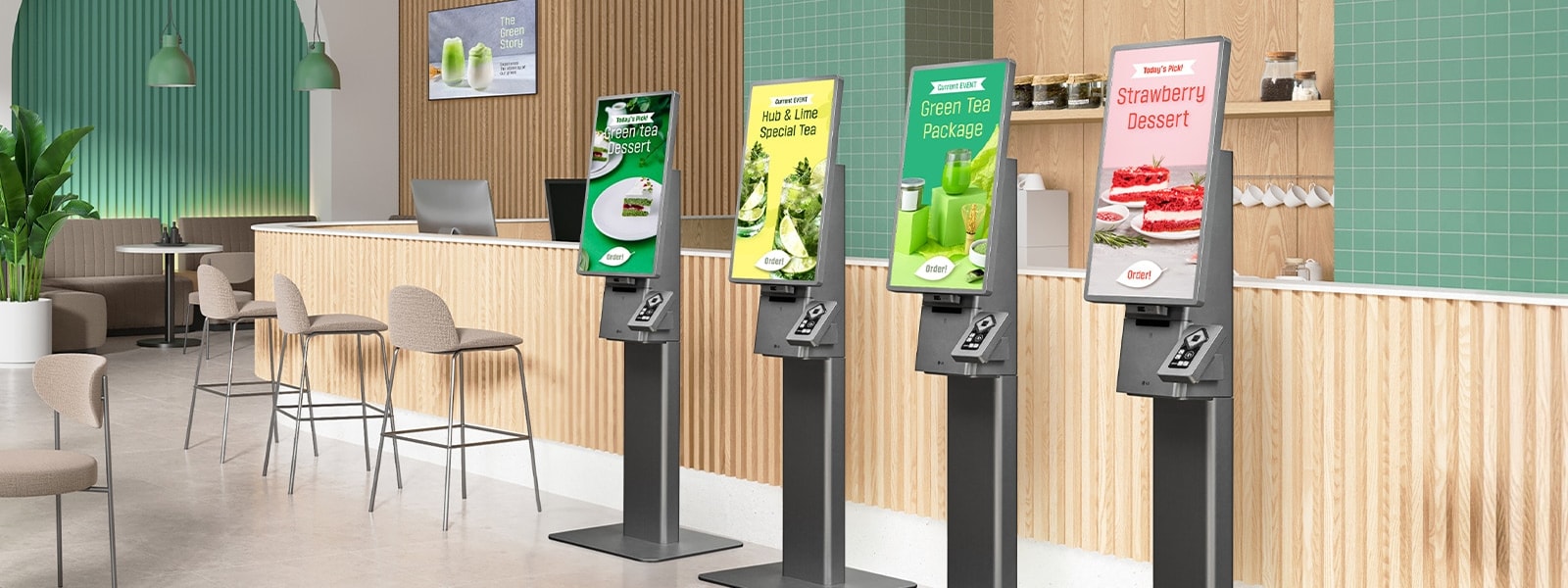
Row of LG freestanding self-ordering kiosks in a modern cafe
LG Kiosk & Touch on the floor: self-ordering, promotions, and RapidKiosk software in one stack.
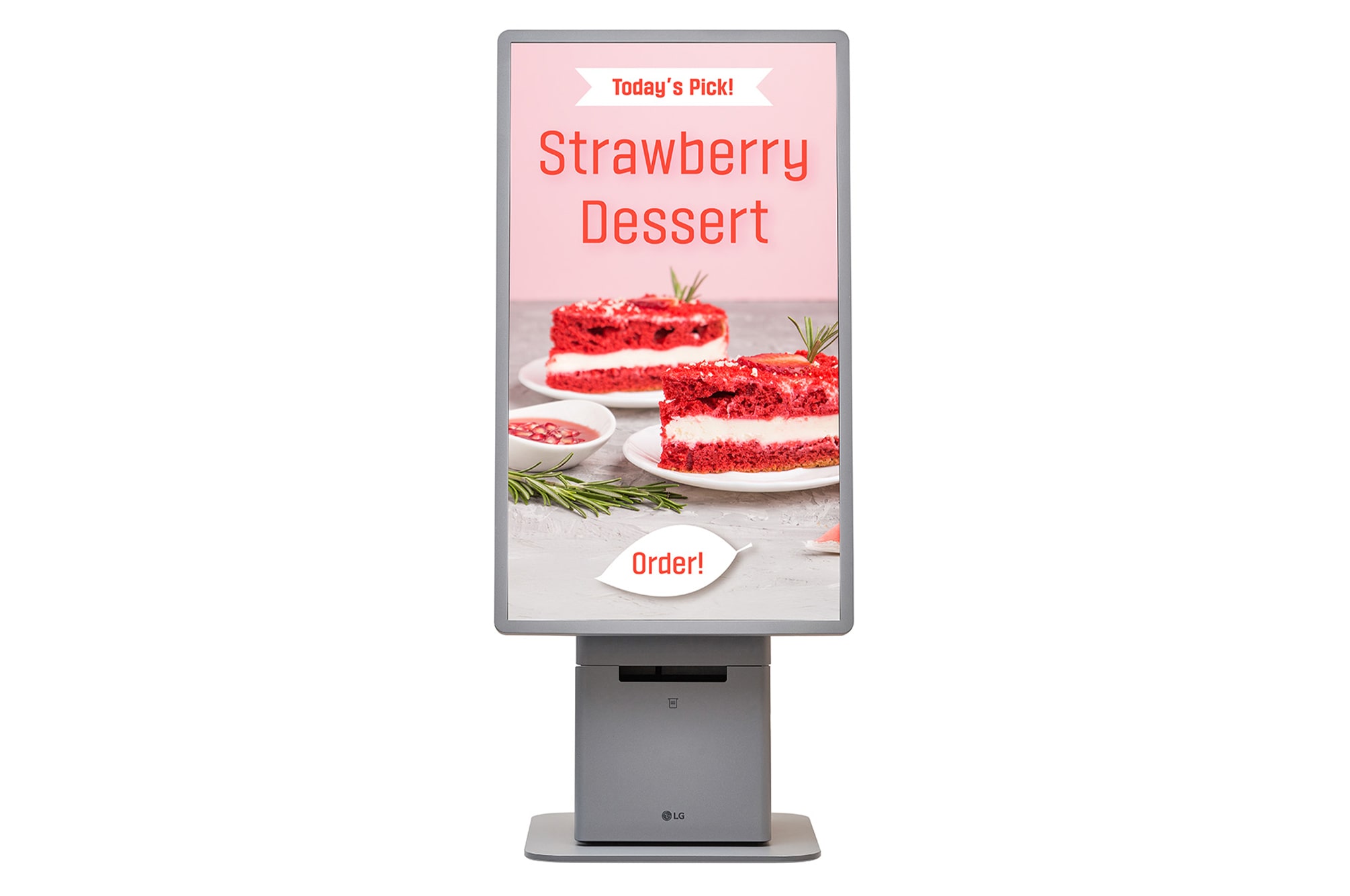
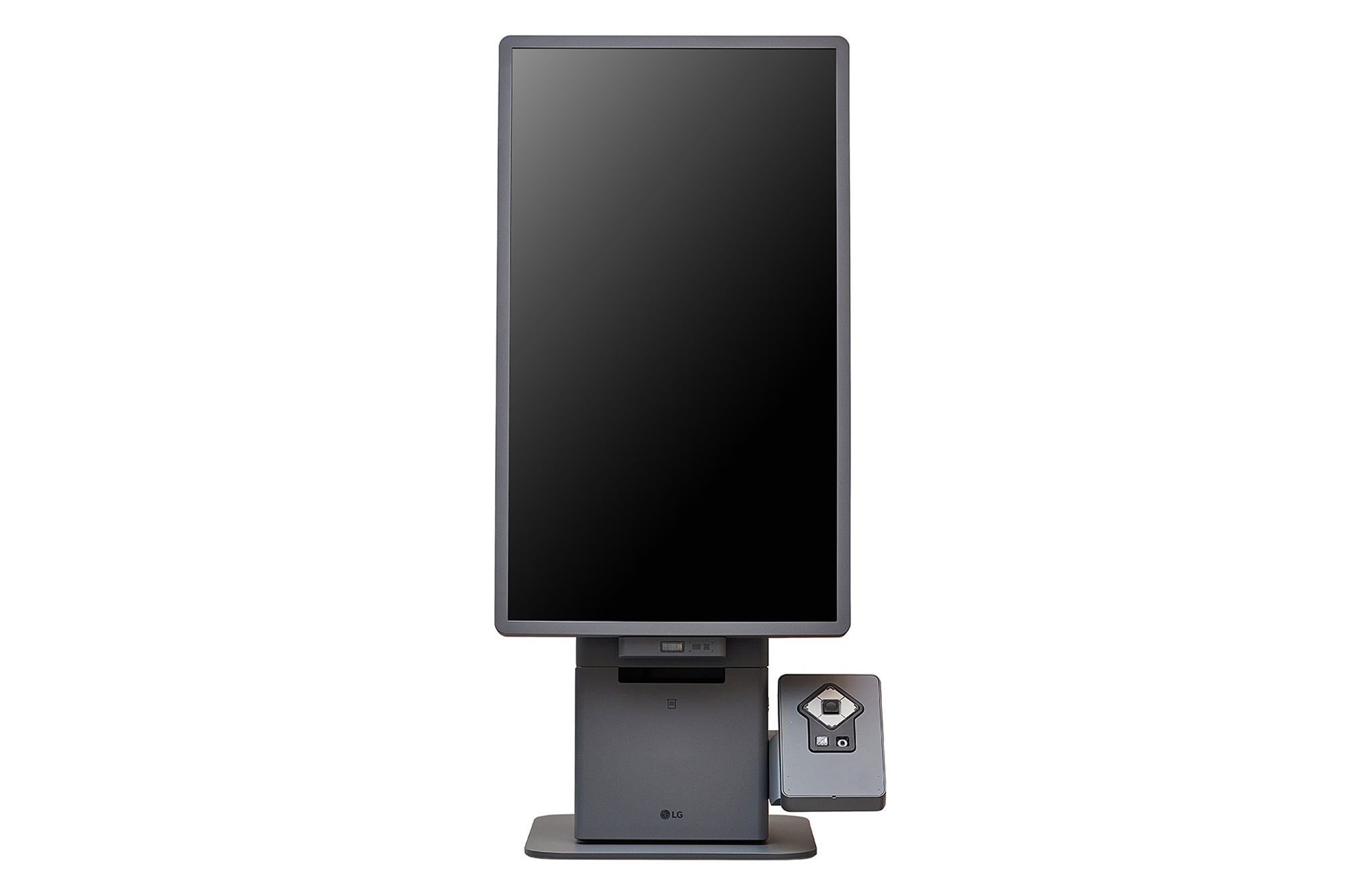
  • LG 27 inch kiosk in portrait floor-stand format with ordering content on screen

    Portrait floor stand

    27 inch in-cell touch, receipt printer ready

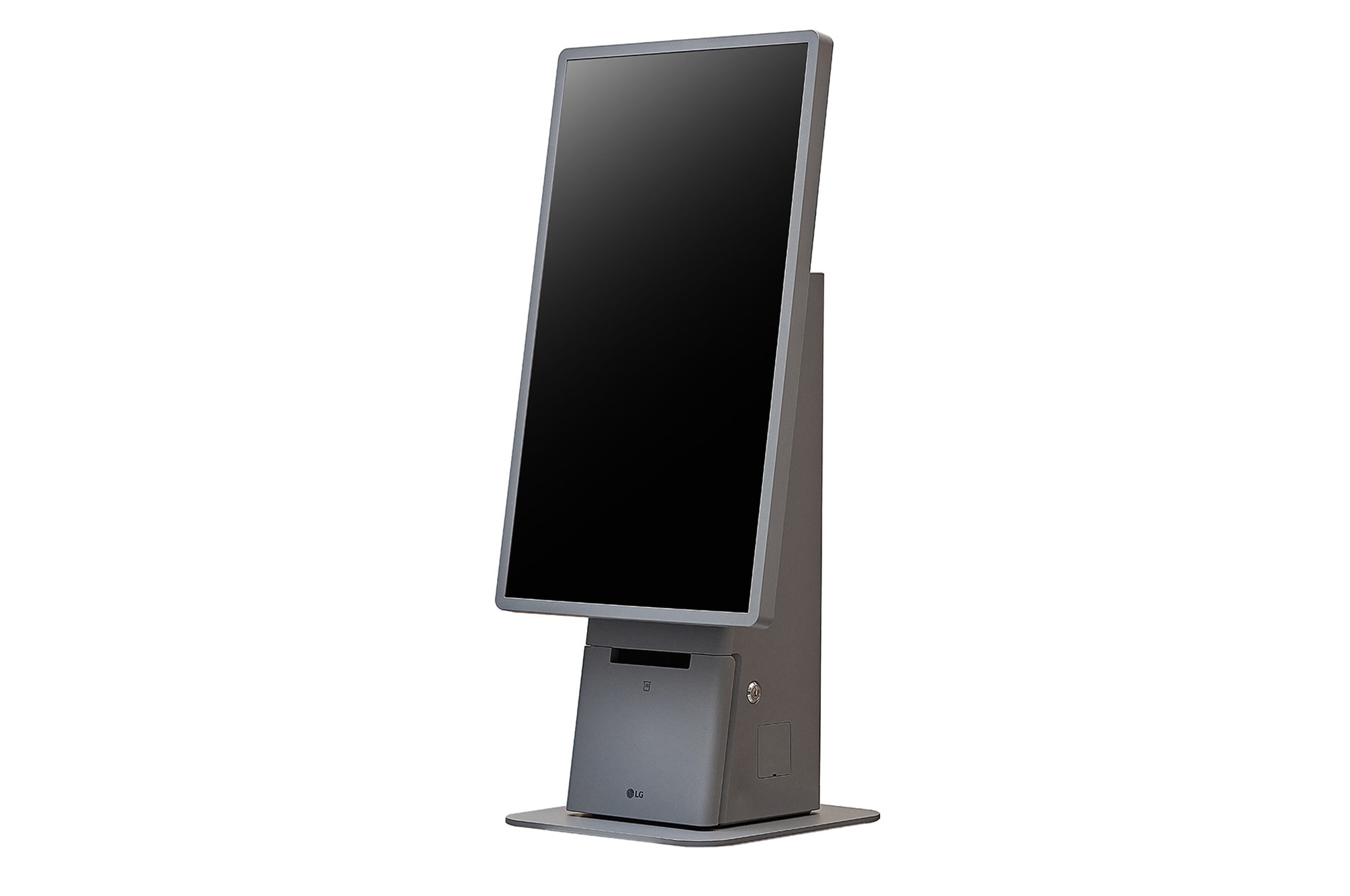
  • LG freestanding kiosk viewed at a three-quarter angle

    Freestanding

    Slim pedestal, service access lock

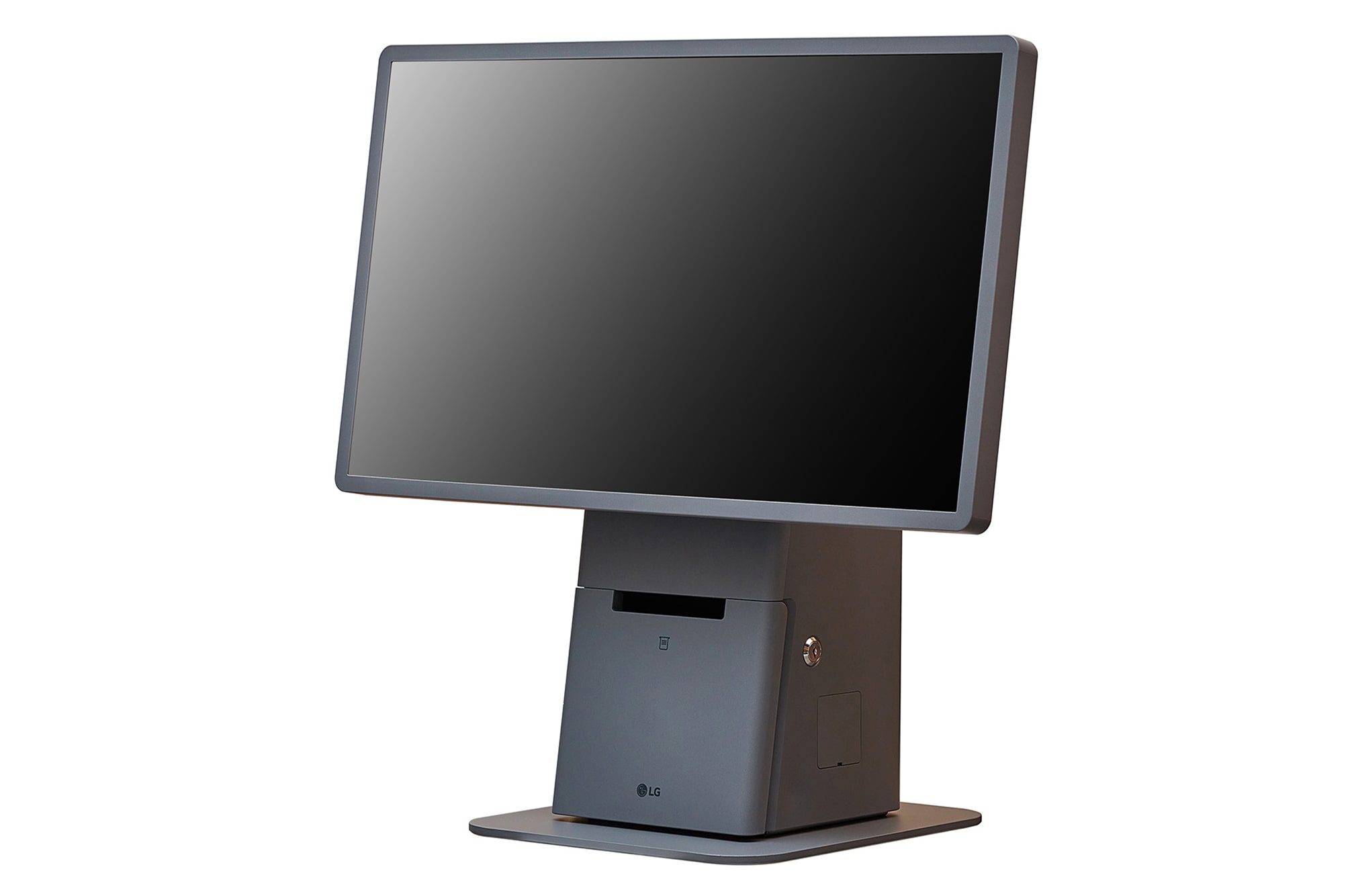
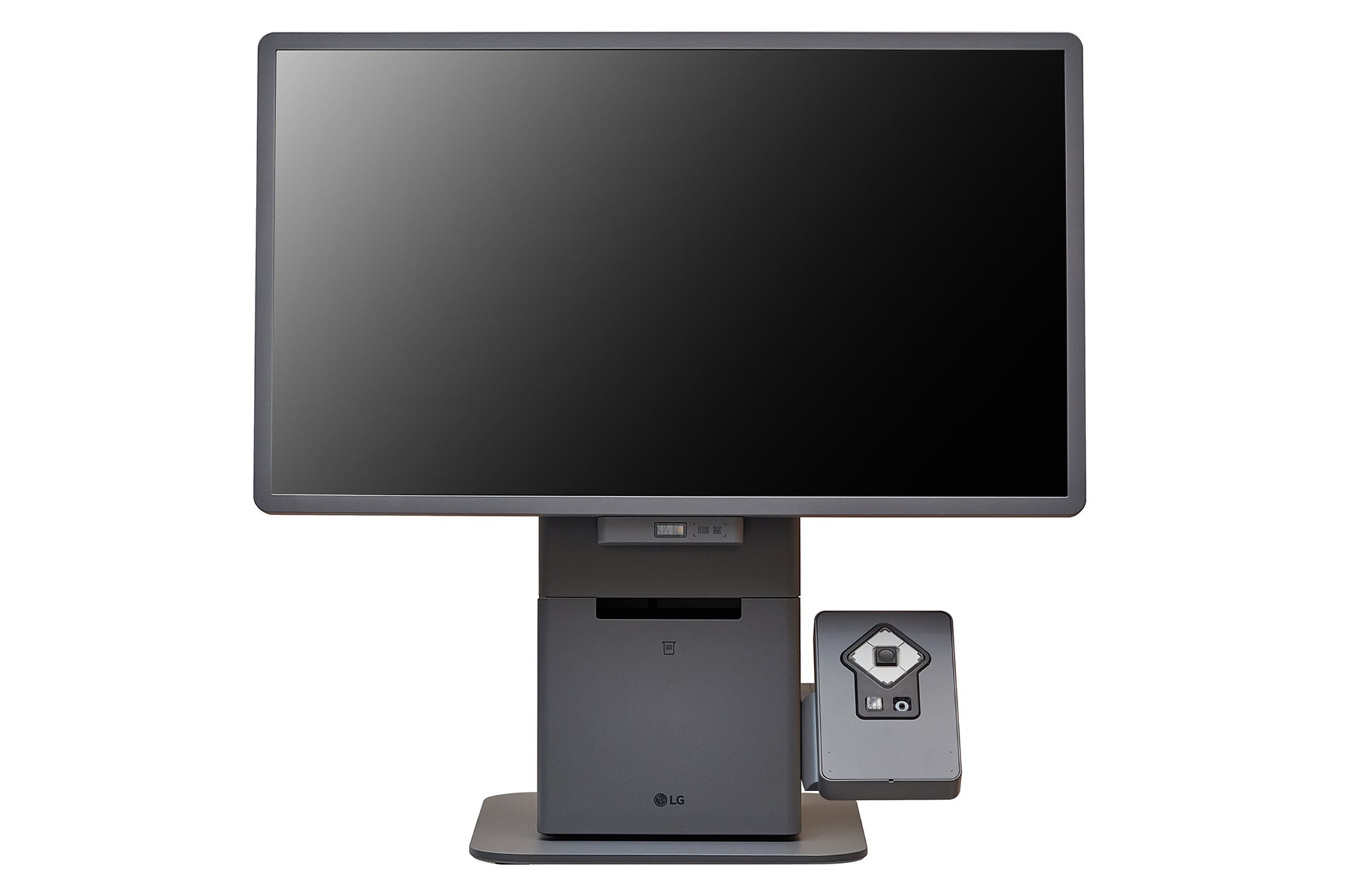
  • LG landscape countertop kiosk

    Landscape countertop

    Counter-top stand, compact footprint

  • LG kiosk fitted with an accessibility keypad module

    Accessible

    Tactile keypad, assistive audio jack

  • LG landscape kiosk with a barcode scanner and accessibility side panel

    Modular peripherals

    Scanner, printer, ADA side panel

Product imagery © LG Electronics. Models shown: LG 27KC3P-M. Browse the full LG Kiosk & Touch catalog . Hardware is supplied and supported for Australia by Trucell.

A managed kiosk fleet versus screens nobody owns

The difference shows up weeks after install: either the fleet stays current, licensed, and visible, or it quietly decays into inconsistent, unmonitored furniture.

With RapidKiosk under Trucell

  • Every store runs the layout you approved, published from one console with a version history.
  • Offline units surface on the dashboard within a minute, and many come back with a remote wake instead of a site visit.
  • Licensing, billing, hardware, and support sit with one accountable supplier, with live pricing published at rapidkiosk.com.au.

Without it

  • Layout changes need a technician, a USB stick, or a remote desktop session per kiosk, so they stop happening.
  • Dark screens are found by customers and store staff, not by monitoring.
  • Software, hardware, and support invoices arrive from different vendors, and no one can say what a kiosk actually costs per month.

Built to sit in front of your stack

RapidKiosk connects to commerce, POS, search, and payment platforms rather than asking you to replace them.

  • Lightspeed POS
  • WooCommerce
  • SAP
  • Dynamics 365 Business Central
  • BigCommerce
  • Shopify
  • Coveo
  • Stripe EFTPOS

Simple per-kiosk pricing, published in the open

Every plan includes RapidKiosk Manager in full: Kiosk Designer, layout profiles and publishing, fleet monitoring and licensing, remote browser view, and host agent Wake-on-LAN. Prices are AUD per licensed kiosk per month, billed by subscription.

Free

$0 AUD / kiosk / month

Full platform access for evaluation and light use. Each kiosk shows a persistent on-screen trial watermark until you subscribe.

  • Complete Designer, publish, and fleet tooling
  • Self-serve signup at rapidkiosk.com.au
  • On-screen trial watermark
Start free at rapidkiosk.com.au

Powered by RapidKiosk

$10 AUD / kiosk / month

The same platform at a partner rate when each kiosk displays a small "Powered by RapidKiosk" credit linking to rapidkiosk.com.au. No trial watermark.

  • Everything in the platform, no watermark
  • On-screen "Powered by RapidKiosk" credit
  • Ideal for cafes, showrooms, and single sites
Subscribe at rapidkiosk.com.au

Standard

$150 AUD / kiosk / month

Full white-label experience: your brand on the floor, no RapidKiosk attribution or watermark required.

  • Everything in the platform, fully white-label
  • No attribution requirement
  • Volume and multi-year arrangements via Trucell
Talk to Trucell about Standard

Self Checkout

Quoted custom per kiosk

Licensed self-checkout with live POS and commerce integrations: catalog, cart, and tender against Lightspeed POS, WooCommerce, SAP, or Dynamics 365 Business Central.

  • Self-checkout license for retail floor use
  • Scoped to your stack, stores, and rollout
  • Bespoke kiosk builds and canvas designs quoted per job
Request a self-checkout quote

GST and commercial terms are confirmed at quote. Pricing is billed in AUD in every region; live pricing and self-serve signup stay at rapidkiosk.com.au, and volume or multi-year arrangements are handled by Trucell.

Healthcare

Smart Kiosk: patient check-in for clinics and imaging

RapidKiosk runs the retail floor. For imaging and specialist practices, Trucell also delivers Smart Kiosk: a patient arrival and self-service check-in workflow integrated with your RIS, designed around reception, privacy, and clean demographic and referral data. It is a distinct product from the retail platform above, with the same accountable owner.

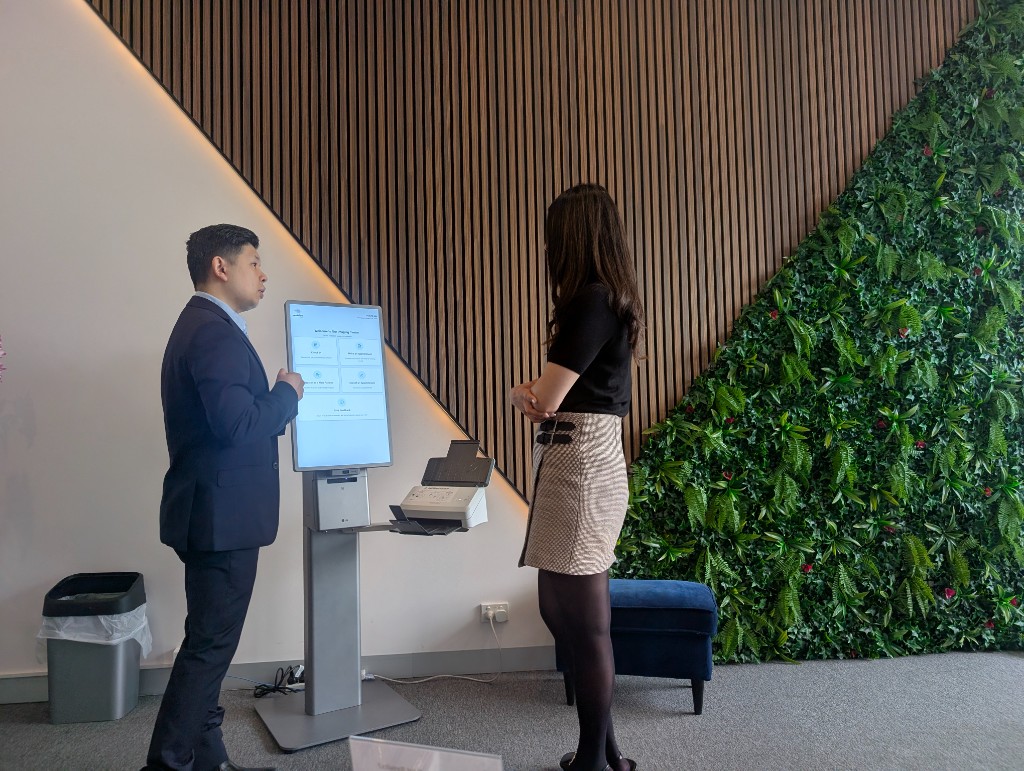
Smart Kiosk in the waiting room

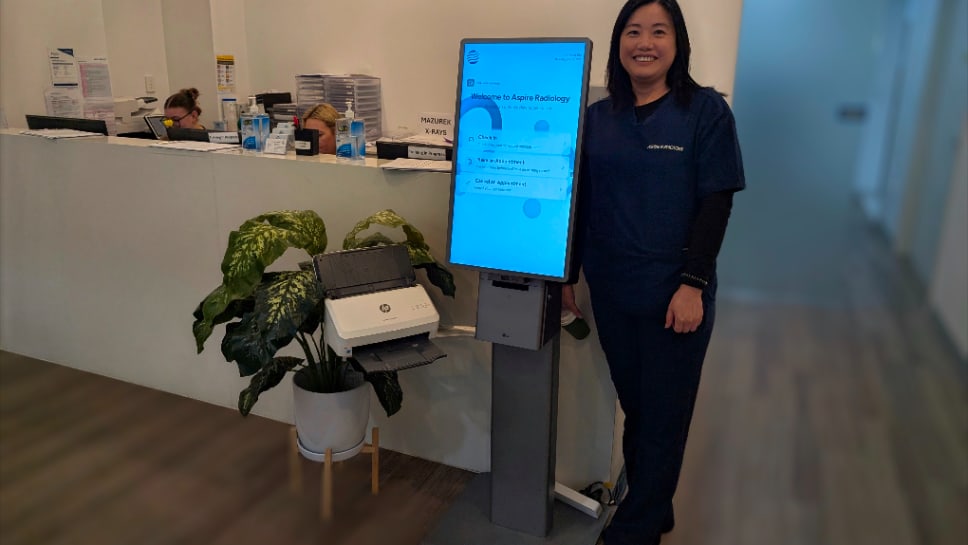
Photo of imaging clinic kiosk welcome screen with four large action tiles and staff nearby
Welcome hub: patients tap check-in, booking, registration, or feedback, spreading load away from the desk.
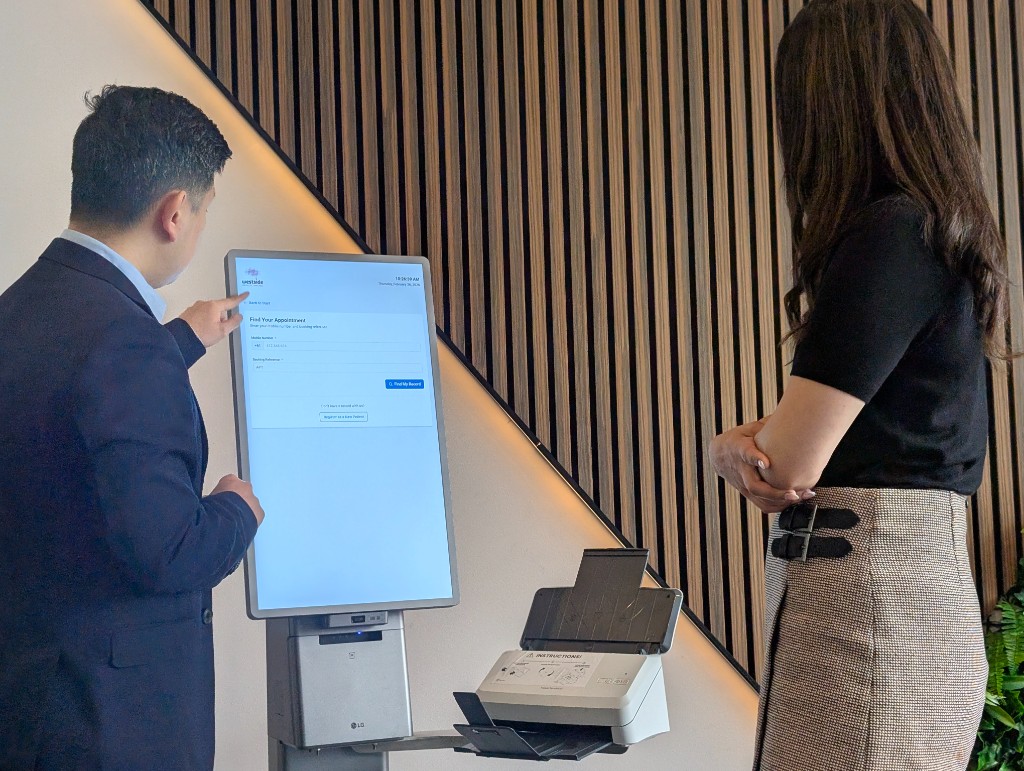
Photo of kiosk screen showing appointment lookup with mobile number and reference fields
Find-your-record style flows capture mobile and booking reference before staff step in.
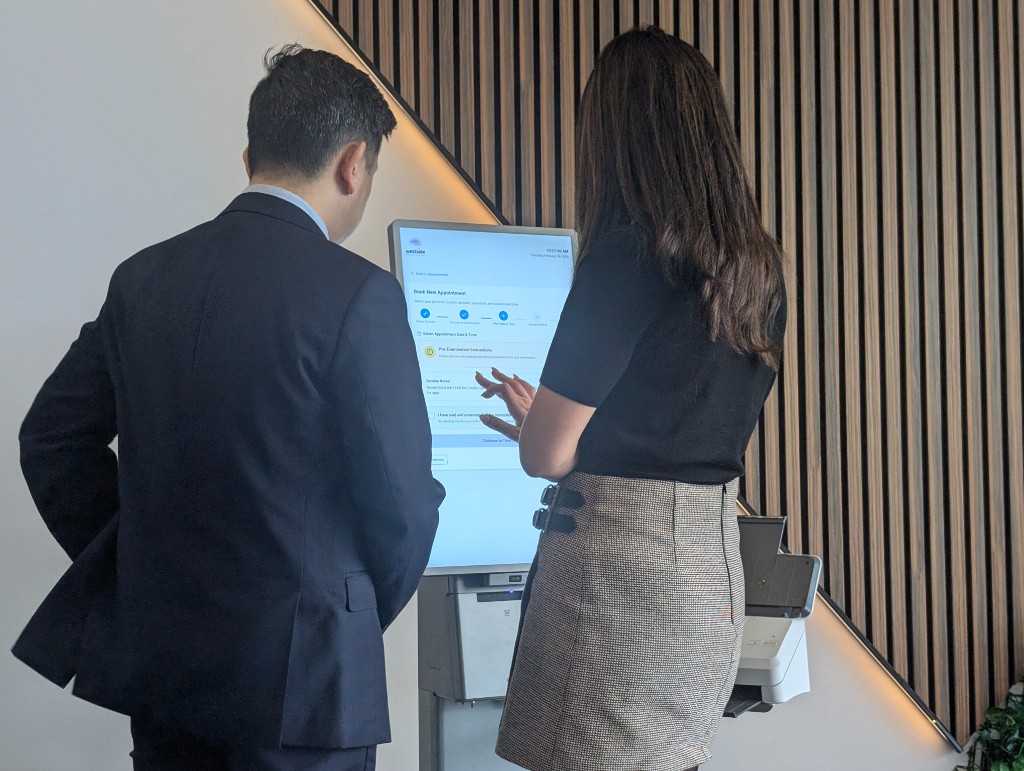
Photo of kiosk showing multi-step appointment booking with a progress indicator
Step-by-step booking keeps instructions and progress visible through date, time, and referral capture.

Why reception queues and manual intake still break imaging workflows

Smart Kiosk targets practices where front desk load, inconsistent registration data, and slow referral capture create downstream rework in RIS and billing: not a shortage of goodwill at the desk.

  • Patients arrive in bursts; manual intake cannot keep pace without errors, duplicate records, or incomplete consent that delay appointments and reporting.
  • Referral and Medicare details entered late or incorrectly propagate into scheduling, billing, and sometimes PACS context, creating avoidable remedial work.
  • Self service only works when workflow design, integration boundaries, and exception handling are agreed before hardware appears in the waiting room.

The problem is operational: throughput and data integrity at the edge of the clinical system. Smart Kiosk earns its place when intake is treated as part of the imaging platform and the arrival experience, not as an isolated kiosk purchase.

A better patient arrival workflow: not only hardware in the lobby

Smart Kiosk should reduce congestion, support reception staff, lift check in consistency, and give clinics a contemporary front of house experience. That means designing arrival from car park or foyer through to ready for clinical staff, not only placing a touchscreen near the desk.

  • Patient arrival and pacing

    Clear signals on what to do when patients enter during peaks: identify, confirm appointment context, and capture what can safely move off the counter without confusing vulnerable visitors.

  • Assisted check in beside self service

    Staff can intervene for complex referrals, language barriers, digital discomfort, or billing questions without abandoning self service for everyone else: exceptions route cleanly instead of restarting the whole queue.

  • Reception as coordinator

    The desk shifts toward triage, empathy, and decisions that need judgement while repeatable demographic, referral, Medicare, and consent steps land on the kiosk path where policy allows.

Who this solution fits

Australian imaging and specialist practices that need repeatable intake, validated demographics and referral data, and controlled write back into RIS workflows: without replacing your core scheduling platform in one risky cutover.

  • Multi site imaging groups

    Standardise registration and check in across locations while allowing site specific forms and escalation paths.

  • High volume outpatient departments

    Move predictable steps off the counter so staff handle exceptions, complex referrals, and patient questions instead of repetitive data entry.

  • Teams under billing and compliance pressure

    When Medicare validation, consent capture, and referrer details must be right the first time for claims and audit trails.

  • New clinics transitioning from traditional reception

    Shape a modern arrival experience from the start: guided self service with staff still available for exceptions, so you are not cementing counter only habits before volume grows.

  • Clinics where reception is under pressure

    When peaks, callbacks, and paperwork collide: offload repeatable intake so the desk can keep up and the waiting area does not bunch around a single window.

  • Clinics where reception counter space is limited

    A compact kiosk path adds check in capacity without extending the bench or reshaping the whole lobby: self service where floorplate and sightlines are tight.

Accessibility, privacy, and queue discipline in the waiting room

Healthcare reception is a public space: patients read screens over shoulders, peaks create perceived unfairness, and privacy expectations are non negotiable. Scoping addresses how the kiosk behaves under observation, how queues stay legible, and how assistive paths stay available.

  • Accessibility and inclusive design

    Touch targets, contrast, language options where scoped, audio or staff assist paths, and consideration of height and mobility so the kiosk is usable alongside traditional counter service: not a replacement for human help where it is required.

  • Privacy and session hygiene

    Orientation away from queues where possible, automatic timeout, minimisation of identifiable details on screen, and alignment to your consent and audit expectations so PHI is not unintentionally broadcast to the waiting room.

  • Queue management and fairness

    Readable sequencing during bursts, cues when to wait versus see the desk, and handoff visibility so clinical teams understand who is ready: reducing duplicate calls and conflicting instructions between kiosk and reception.

What Trucell provides

We scope kiosk workflow design, integration boundaries with your RIS and identity posture, deployment sequencing, adoption with reception champions, and support ownership so go live does not dump unresolved exceptions on the desk.

  • Workflow and form design

    Define which steps run on kiosk versus desk, exception flows, and consent paths aligned to how your teams actually work.

  • Integration scoping

    Clarify write back rules to RIS, validation hooks, and what the kiosk may or may not change without staff review.

  • Rollout, adoption, and operations

    Phased deployment with desk focused training, hypercare windows, adoption checkpoints, and alignment to your managed IT and service desk model so staff keep confidence under peak load.

Systems this sits alongside

Exact interfaces depend on your RIS vendor and revision, adjacent clinic systems, and referral feeds; Trucell validates assumptions early so procurement does not commit to kiosk hardware before integration reality is understood.

  • RIS, scheduling, and clinic context

    Patient registration, appointment context, referral metadata, and controlled updates into scheduling workflows: including boundaries with GP feeds, allied health bookings, or shared clinic calendars when they affect the same patient visit, scoped per your vendor constraints.

  • Referral and Medicare validation

    Capture and validation paths appropriate to Australian billing expectations, with explicit handling for incomplete or contested referrals.

  • Identity and kiosk security

    Alignment with your Microsoft 365 or directory posture where relevant, kiosk lockdown, and audit expectations for patient facing devices.

Hardware support, monitoring, and physical layout

Production kiosks need the same discipline as any clinical endpoint: dependable hardware, observable health, spare posture, and placement that respects cabling, privacy, and peak hour circulation. Trucell aligns vendor SLAs with your MSP field model so faults route predictably.

  • Hardware lifecycle and break fix

    Ruggedised or healthcare suited devices where appropriate, imaging and restore standards, spare or swap posture, and alignment between manufacturer response and Trucell field support so offline kiosks do not strand reception during peak clinics.

  • Monitoring and proactive signals

    Endpoint visibility where in scope with your managed stack: offline detection, disk or patch drift, application health checks, and escalation paths that mirror how your team already handles workstations and servers: not a disconnected kiosk vendor queue.

  • Site layout and flow

    Power and network drops, acoustic privacy from corridors, sightlines so patients see where to queue, wheelchair clearance, and collaboration with facilities so the kiosk reinforces traffic flow instead of blocking it.

How implementation typically runs

Sequence may compress or expand based on sites and vendor dependencies; the intent is accountable milestones with named owners.

  1. Discovery and workflow map

    Current intake path, exception volume, reception peaks, physical layout constraints, RIS touchpoints, and billing rules documented with imaging operations, facilities where relevant, and IT.

  2. Integration design and sign off

    Agreed write back behaviour, validation rules, test cases, and rollback posture before kiosk images are built.

  3. Pilot site and tuning

    Limited go live with measured queues, staff feedback, and fixes before broader rollout.

  4. Scale and operational handover

    Repeatable deployment pack per site, support routing, and clarity on desk versus kiosk ownership for incidents.

Outcomes and why Trucell

Clients should expect measurable relief at the desk, cleaner upstream data, and a calmer waiting room experience: not a kiosk bolted on without operational follow through.

What good looks like

  • Shorter peak time queues and fewer manual corrections before the patient sees clinical staff.
  • More complete referral and billing fields at booking, reducing back office chase.
  • Reception staff reporting confidence during bursts because assisted paths and escalation rules were rehearsed before go live.
  • Clear support path: kiosk, RIS, or network issues route to owners who can act, not a generic vendor queue.

Where projects go wrong

  • Kiosk purchased before RIS integration rules are agreed, leading to rework or frozen scope.
  • No hypercare plan: staff abandon the kiosk under pressure and the investment idles.
  • Vendor only support with no MSP alignment to your endpoints, identity, and service desk reality.

Send a kiosk brief: we reply with a shape and a quote path

Add your sites, use case, and the systems involved. No obligation: we respond with licensing options, LG hardware guidance where needed, and whether the free trial is the right first step.

Open full contact form instead

Frequently asked questions

Straight answers on licensing, hardware, integrations, and where RapidKiosk fits.

Can we run RapidKiosk software on kiosks we already own?

Yes. RapidKiosk Manager ships organisation-scoped Windows installers, an Android tablet shell, and a host agent, so existing kiosk PCs and tablets can be enrolled with a pairing code and managed alongside new hardware. Licensing is per kiosk per month regardless of who supplied the screen.

Can Trucell supply the hardware without the software, or the software without hardware?

Both. Trucell supplies LG Kiosk & Touch commercial kiosks for Australia and licenses RapidKiosk Manager separately or as one rollout. Most fleets buy them together so design, licensing, installation, and support have a single accountable owner.

What does the free tier actually limit?

Nothing functional. The free tier includes the full platform: Kiosk Designer, publishing, fleet monitoring, and remote tools. Each unlicensed kiosk displays a persistent on-screen trial watermark until a paid subscription covers it, which makes it a genuine evaluation path rather than a crippled demo.

How does self checkout connect to our POS or commerce platform?

Self Checkout mode runs catalog, cart, and tender on the kiosk against your existing systems, with integrations for Lightspeed POS, WooCommerce, SAP, and Dynamics 365 Business Central, plus commerce and search platforms including BigCommerce, Shopify, and Coveo, and Stripe EFTPOS for payments. It is licensed per kiosk and quoted to match your stack and rollout.

Who hosts RapidKiosk Manager and where does our data live?

RapidKiosk Manager is licensed by Trucell and hosted by Ripple Networks in Sydney, Australia. Kiosks authenticate with device tokens issued at pairing, report heartbeats to the platform, and receive published layout profiles and commands from the same console your team logs into.

Do you also do patient check-in kiosks for clinics and imaging practices?

Yes. That is Smart Kiosk, covered in the healthcare section on this page. It is Trucell’s patient check-in solution for imaging and specialist practices, integrated with your RIS and clinical systems, and it is a distinct product from the retail RapidKiosk platform above. Both are delivered and supported by Trucell as one accountable owner, so you can talk to the same team whether you run a store floor or a waiting room.

What problem does Smart Kiosk solve for our practice?

It moves routine registration, check in, referral capture, and Medicare validation into a controlled self service flow so front desk teams handle exceptions and patient interaction instead of repetitive data entry: and so cleaner data reaches your RIS and billing paths.

Is Smart Kiosk only check in at a screen, or a wider arrival workflow?

We position it as part of end to end patient arrival: pacing and clarity from entry, fair queue behaviour under load, assisted paths for patients who cannot self serve, reception focused on judgement work, and handoff cues for clinical teams. The device is one component inside that design.

How do you handle privacy and accessibility in open waiting areas?

Scoping covers screen orientation and timeout, what appears on display, staff assist alternatives, inclusive touch and language options where agreed, and physical placement so PHI is less exposed to shoulder surfing. Exact controls depend on your policies and vendor capabilities.

What support is included after go live?

Trucell aligns rollout support with your managed IT model: hypercare during pilot, documented escalation for kiosk versus application versus network issues, and ongoing pathways tied to the same service desk and change cadence you use elsewhere: not a one off handover with unclear ownership.

Which systems does Smart Kiosk integrate with?

Integration is RIS centric: scheduling and patient context, validated demographics, referral details, and controlled write back per vendor capabilities. Where your practice uses adjacent clinic or GP feeds that affect the same episode, we scope boundaries and responsibilities with your RIS revision, identity stack, and billing rules before committing to deployment plans.

How are kiosks monitored and who fixes them when they break?

Trucell aligns monitoring and break fix with your MSP model: offline and health signals where in scope, tickets into the same ITSM path you use for other endpoints, and clear split between hardware vendor, application, and network ownership so reception gets a single place to escalate.

Why use Trucell instead of ordering kiosks directly?

Hardware is the easy part. Trucell delivers healthcare IT integration discipline, Australian billing and governance context, and one accountable thread with your managed support, security, and network estate: so the kiosk works in production, not only in a demo environment.


Servicios que entregan esta solución

Líneas de servicio de Trucell que definen alcance, implementan y operan el trabajo detrás de esta solución: con responsables y evidencia que su equipo puede rastrear en compras y auditorías.